fattsmassive
New member
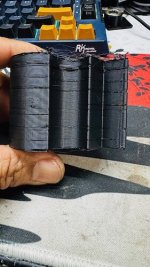
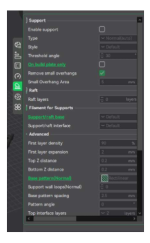
I recently replaced the mobo on my K1 Max due to a bricked board. The install went fine, all wires are where they should be. No issues with the firmware install either, it all went smooth. After configuring my K1, I tried to do a couple of calibration prints to see if it was good to go… first layer was great, needs some tweaks, but the print were good. I printed single layer square and it looked great, almost perfect except, it was nice and even all the way thru. After a couple of more calibration tests, I didn’t see any noticeable issues. I proceeded to start printing gauge pods for my Mustang, I noticed that there were layers that seemed like they didn’t bond and it actually started to lift off of the build platform (you can see it on the attached). I changed the print speed from 100% down too 50%, thinking maybe it was traveling. I included snap shots of my current settings hoping someone see where I screwed up? I noticed that those layer shifts happen around one in up. I printed something else just to confirm that it has nothing to do with that particular print. It happened again on a totally different print, same height too. Any ideas or help would be greatly appreciated.
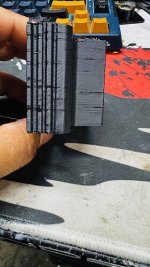
Here I was performing the “speed calibration/limit speed”. I was thinking it was underextrusion, so I raised flow by 10 but didn’t do much of anything. Then I thought the nozzle was a little high, so I lowered it to by 0.5, it started at 0.00 offset for Z. I’m having a tough time tuning this printer with the new main board. I performed a bed calibration and and bed level after installing the new main board. Can anyone help me out?
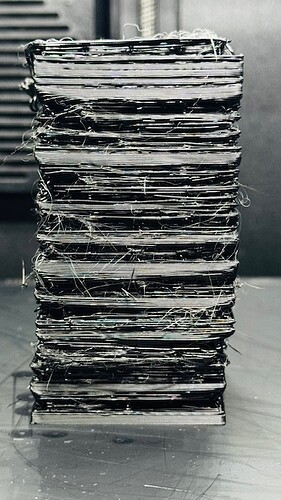
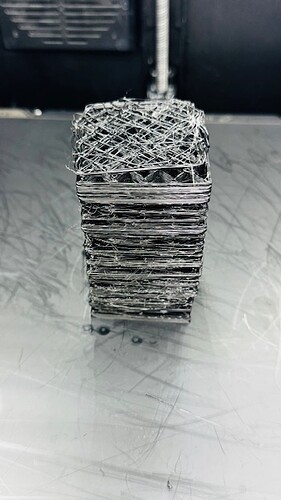
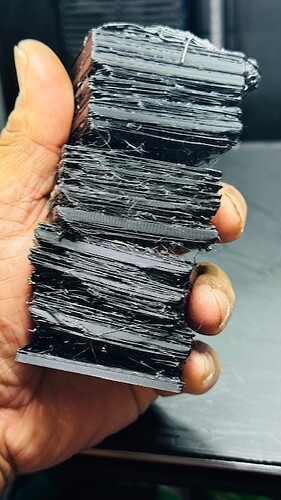
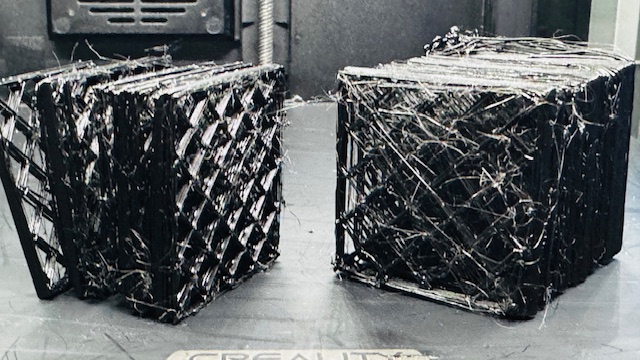
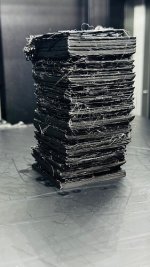
I tried another calibration test and it looks no where near descent…lol, Here I was performing a “speed calibration/speed tower”
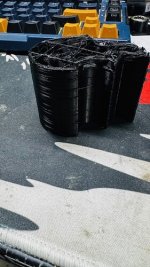
not sure what to do? so far, I’ve tried to adjust the z offset to come down a little closer, I was thinking maybe it was high so it wasn’t sticking like it should. Then I changed the line width from 0.6 to 0.8 hoping that a thicker line would make it easier to stick??? Didn’t work so good.
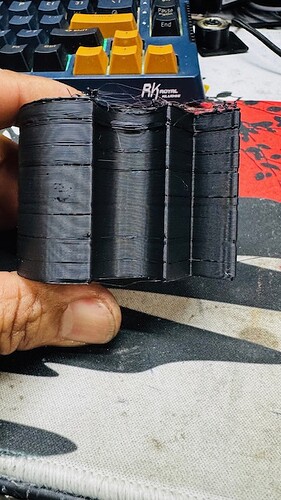
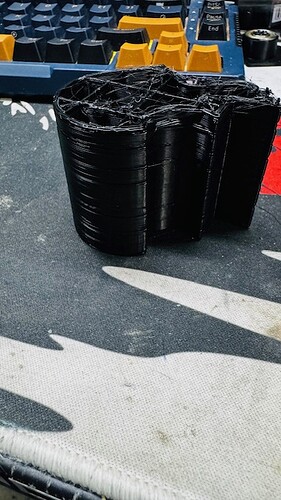
Here I was performing the “speed calibration/limit speed”. I was thinking it was underextrusion, so I raised flow by 10 but didn’t do much of anything. Then I thought the nozzle was a little high, so I lowered it to by 0.5, it started at 0.00 offset for Z. I’m having a tough time tuning this printer with the new main board. I performed a bed calibration and and bed level after installing the new main board. Can anyone help me out?
I tried another calibration test and it looks no where near descent…lol, Here I was performing a “speed calibration/speed tower”
not sure what to do? so far, I’ve tried to adjust the z offset to come down a little closer, I was thinking maybe it was high so it wasn’t sticking like it should. Then I changed the line width from 0.6 to 0.8 hoping that a thicker line would make it easier to stick??? Didn’t work so good.